Windows Sandbox 沙箱閃退顯示連線已中斷解決方法


想拿 Windows Sandbox 測試東西,隔離環境用完就丟最省事。結果一打開沙箱就直接跳「與 Windows 沙盒環境的連線已中斷。是否要重新連線?」,訊息一出來就閃退,連畫面都還沒進去。
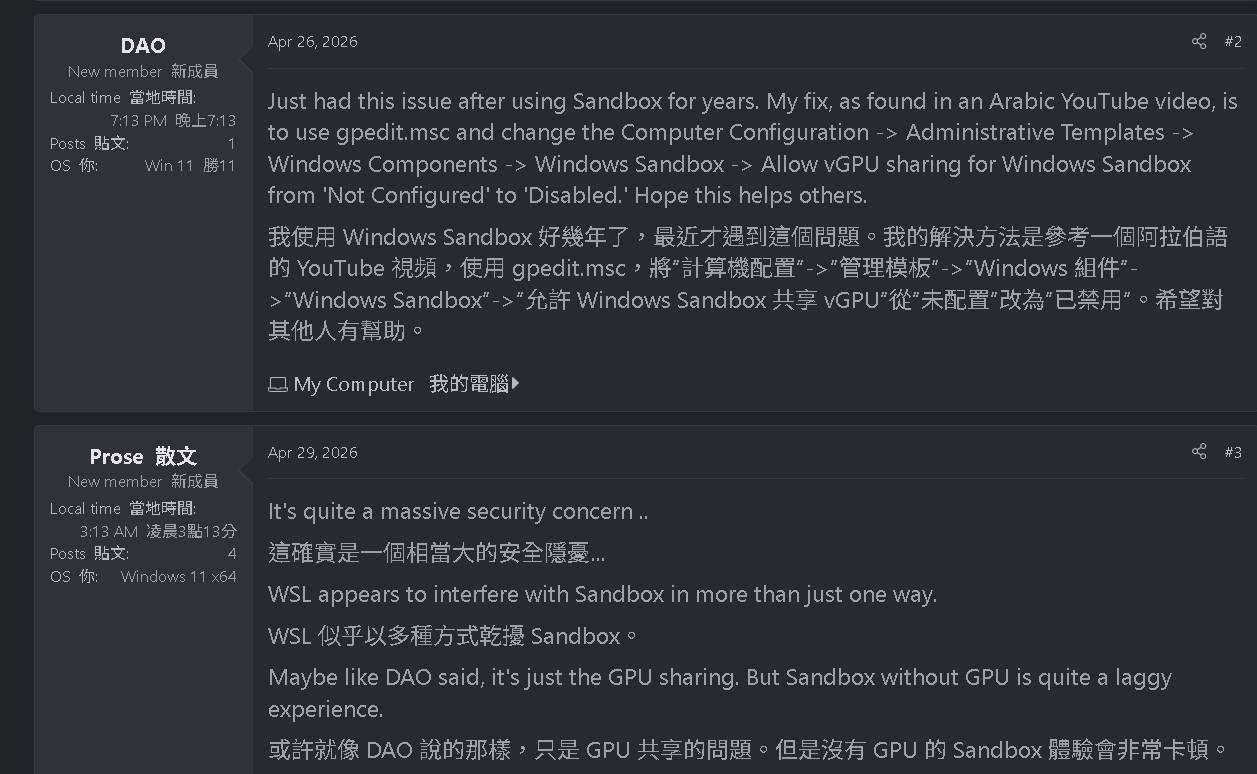
翻到 Eleven Forum 這串,有大神直接講解怎麼解決:把 vGPU 共用關掉。
Just had this issue after using Sandbox for years. My fix, as found in an Arabic YouTube video, is to use gpedit.msc and change the Computer Configuration -> Administrative Templates -> Windows Components -> Windows Sandbox -> Allow vGPU sharing for Windows Sandbox from 'Not Configured' to 'Disabled.'
開 gpedit.msc,路徑是:
電腦設定 > 系統管理範本 > Windows 元件 > Windows 沙箱 > 允許 Windows 沙箱的 vGPU 共用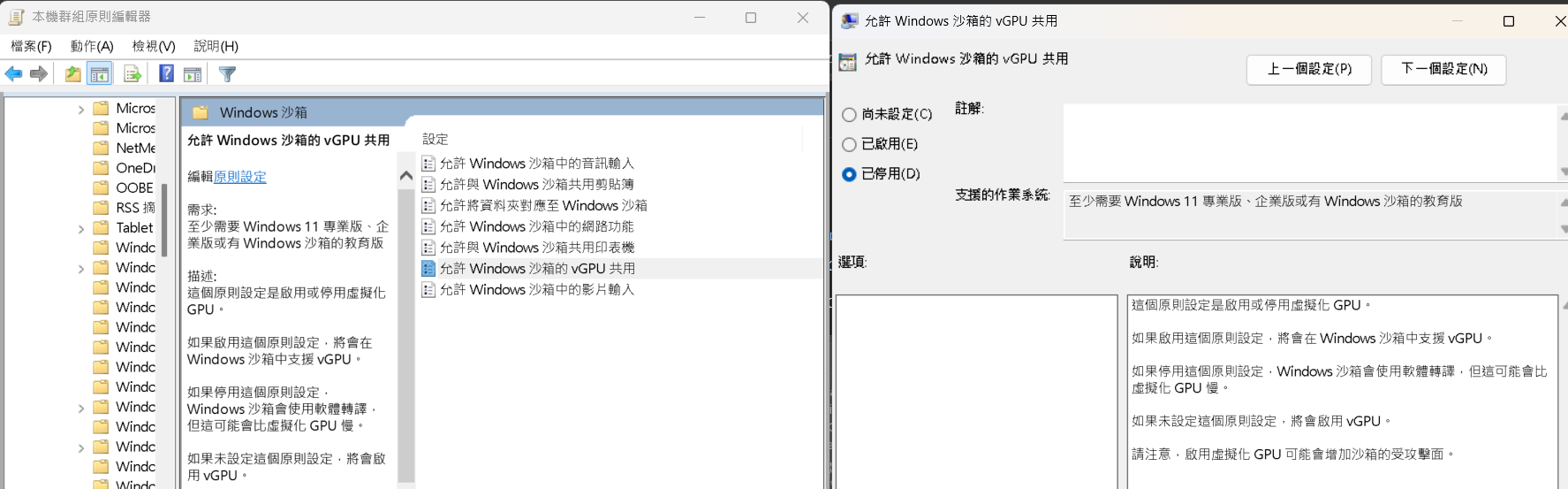
從「尚未設定」改成「已停用」,套用之後重開沙箱,確實就不會再閃退了,正常進得去。
這個原則要 Windows 11 專業版、企業版或教育版才有 —— 家用版沒有 gpedit.msc,本來也裝不了 Windows Sandbox。為什麼有效我沒追下去。原串裡發問者貼了 Event Viewer 的錯誤,是 Virtual machine requested unsupported Virtual PCI protocol version 0x10006、版本不相容,看起來 vGPU 這條路本來就是通不了的,關掉就繞過去了。不過我沒去翻自己這台的 Event Viewer,不確定是不是同一條,就當個方向。
代價寫在原則說明裡:
如果停用這個原則設定,Windows 沙箱會使用軟體轉譯,但這可能會比虛擬化 GPU 慢。
實際用起來沒特別有感,反正只是拿來跑測試。同一頁還寫了「啟用虛擬化 GPU 可能會增加沙箱的受攻擊面」,那關掉也不虧。


